Portfolio • Case Study 01
MARLOWE
What is it?
A voice-first macOS companion for thinking out loud, researching ideas and turning clear requests into saved documents, account actions and delegated design or coding work.
Problem framing
I think faster out loud than I type, and typing flattens a requirement. By the time an idea is a paragraph in a prompt box, the reasons behind it are gone, and a coding agent gets a thinner brief than the one in my head. I wanted to close that gap: talk a problem through and come out with a task an agent can act on, rationale intact.
The harder half was trust. An assistant that can speak and also act on your machine is a liability unless the line between talking and acting is explicit. So the brief had two parts: keep conversation fluid, and make every action specific, permissioned and accountable.
MARLOWE stands for Multi‑Modal, Adaptive, Reasoning, Learning, Operations, Workflow, Engine. It began as SideKick; the name came once it was clear what it was for.
Research through use
There was no panel of users. There was me, using it every day, and a saved record of every conversation. MARLOWE began as an inherited prototype whose notes described designs that no longer existed, so the first rule was to trust what ran over what was written. After that, every transcript, with its timing and tool outcomes, was evidence, and each finding changed the design:
- Pauses. Measuring time to first audio per turn showed where the waits landed, and filler lines like “give me a moment” read as stalling. Routine work now happens quietly, with a short, truthful update only when the wait needs one.
- Noise. A speech classifier meant to reject background sound failed on short replies, so a simpler loudness gate stayed, with its limits written down.
- Proof. A transcript shows what was said, not what happened, so outcomes are recorded on their own, and a task that was submitted, returned and verified are three different states.
- Cost. Tracking spend per conversation showed what a daily habit of talking to it would actually cost.
- Writes. In a live session I asked for a new research document, and MARLOWE reached for an older one instead. The write was refused and nothing changed, but the lesson was structural: creating a document and revising one are now separate tools, and a revision has to name the version it read.
Solution as a system
The findings came down to one structure: the voice talks, the app acts, and nothing claims more than it knows. A live speech model handles listening, speaking and interruption. When a request needs a tool or deeper thinking, it goes to a separate reasoning model, and the voice explains the result that comes back.
Every proposed action is checked against the current request, its target, the permissions granted and the state of the task. A clear request can authorize scoped work without a ritual confirmation, but sending mail needs an exact preview and a separate yes, calendar changes need review, and reading a folder never implies writing to it.
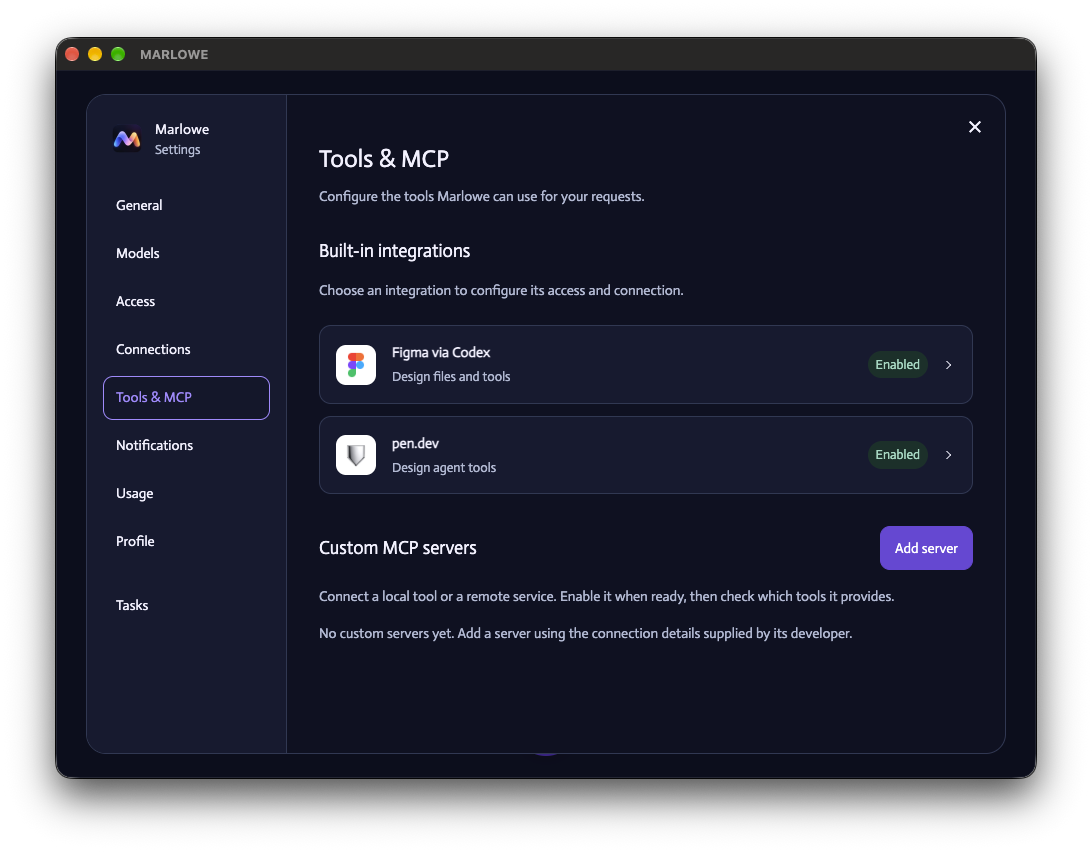
Through that gate, MARLOWE researches with cited sources, drafts and revises documents, works in mail and calendar, calls connected MCP tools, and hands Codex, Claude Code or Pen one brief carrying the original request and its exact workspace: the gap from the start, closed. Everything lands in a vault you can read, conversations in one folder and tasks in the other. Stopping work does not undo it, and the interface says so.
Interface
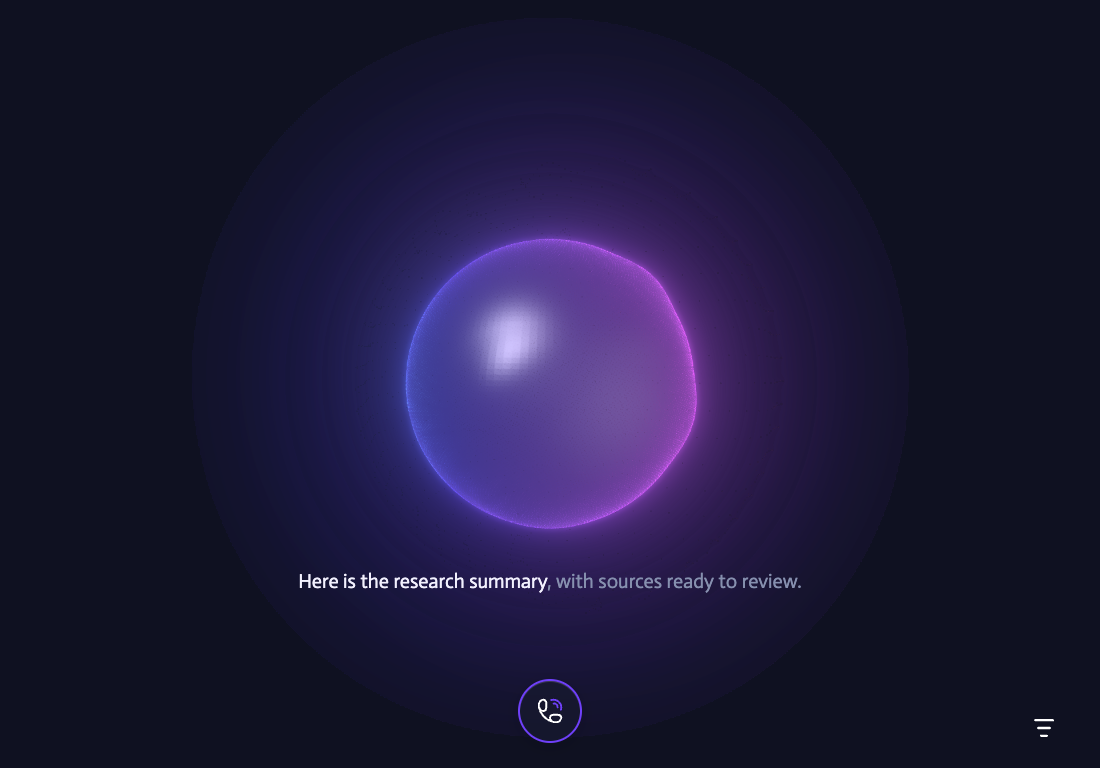
Inside the app the brand steps back. The conversation screen is the Nebula, the microphone and a settings control, nothing else. The Nebula is 26,000 points under a reflective skin that breathes; speech moves its ridges and bloom, not its size, and it has no eyelids or expressions. Light mode is its own rendering, not an inversion.
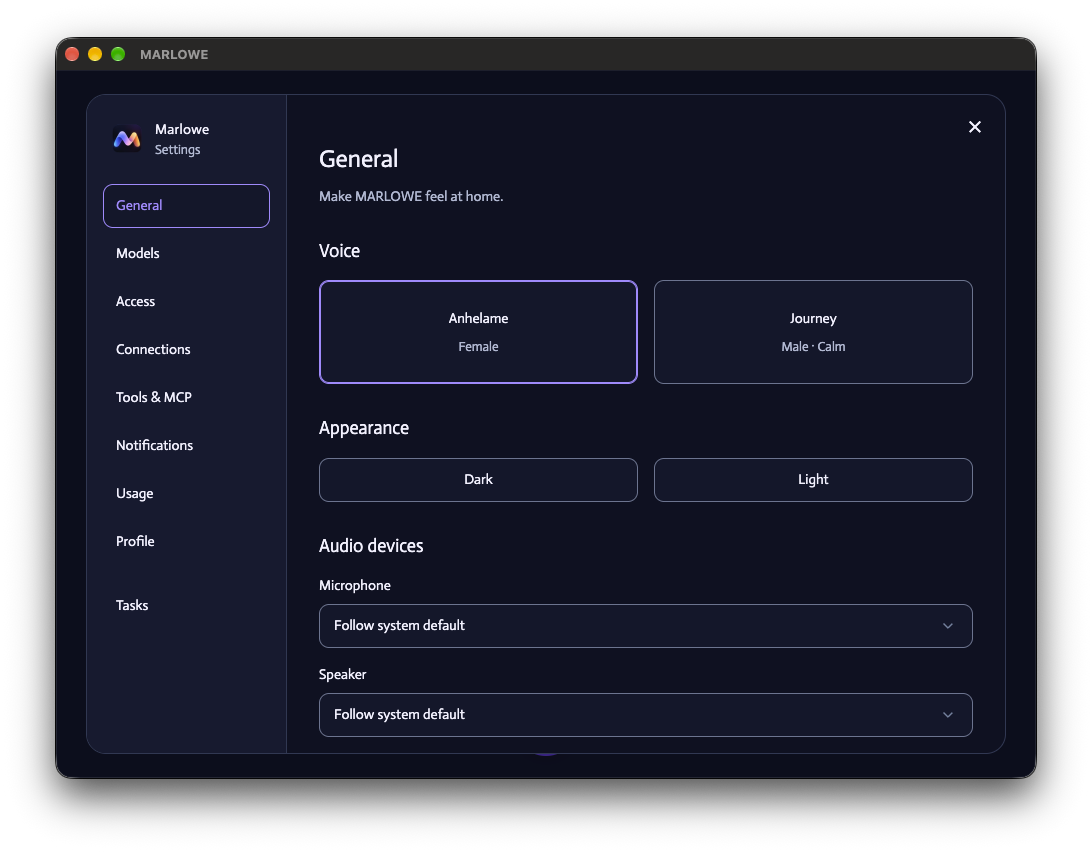
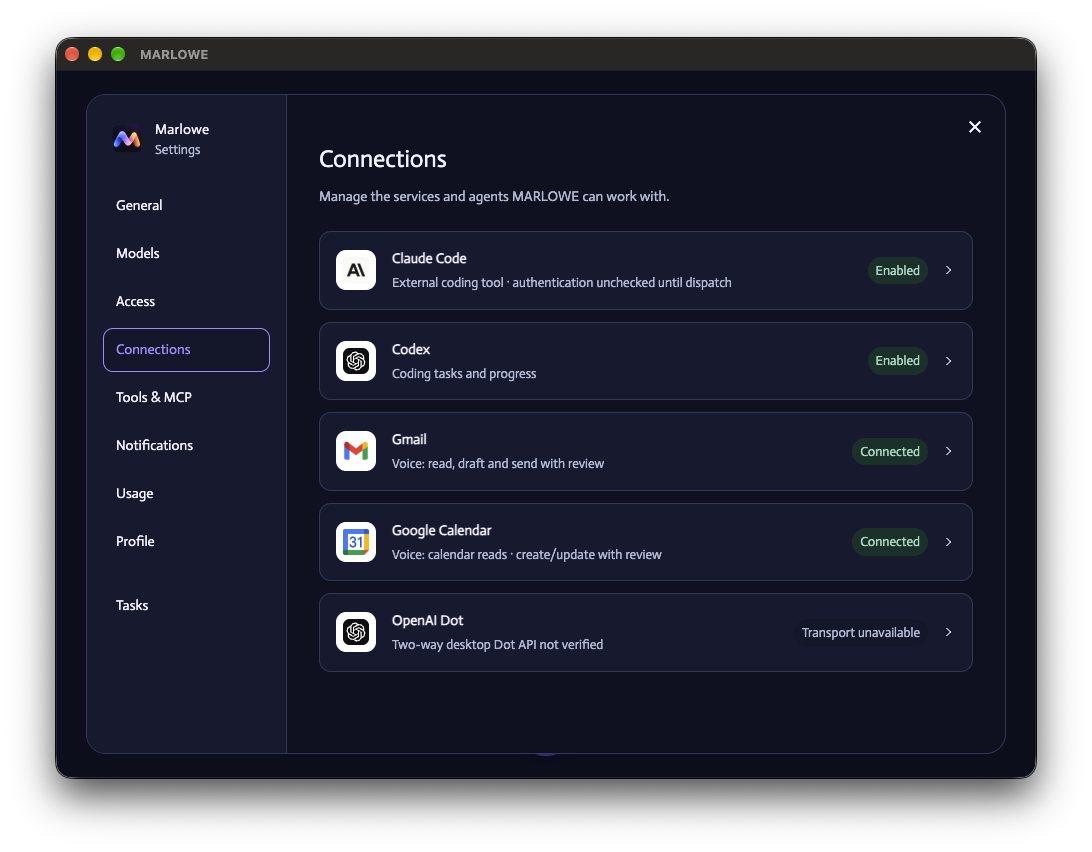
Settings is where trust becomes visible. Each connection states what it can do and how far it is trusted: Claude Code is enabled but unchecked until dispatch, Gmail sends with review, Calendar changes with review, and a transport that cannot be verified says so. As the design boards put it, an animation is not evidence that a task succeeded.
Waiting is shown honestly too. While a reply is pending, a thin sweep traces the Nebula’s surface, and with reduced motion it holds still. Research sources gather in a Web Sources tray that can be cleared without ending the conversation or deleting what was saved.

Design system
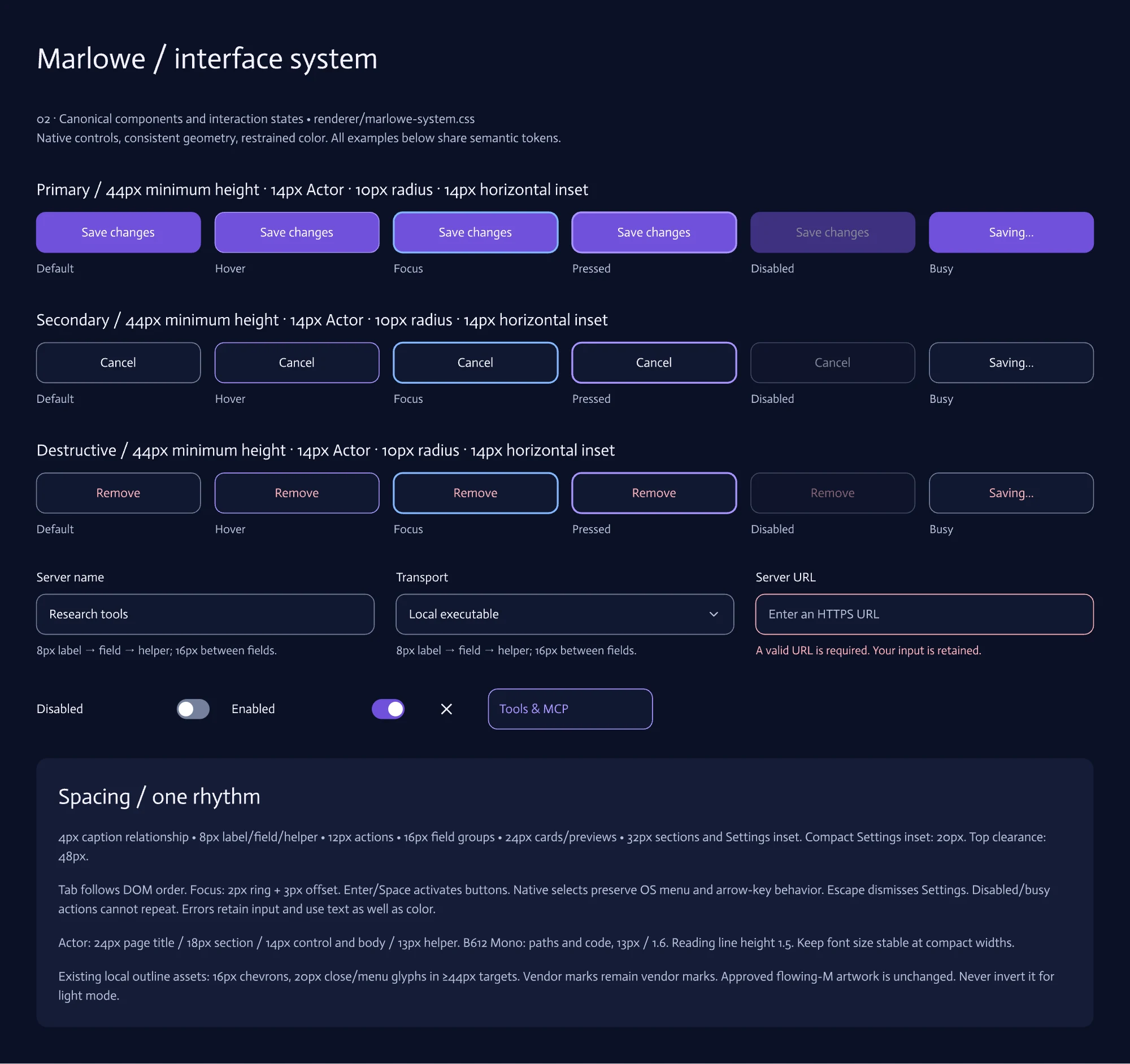
The design system exists for the same reason the guardrails do: so the interface never claims more than the software knows. The brand palette stays out of the interface, so the personality lives in the mark and the Nebula and every control reads plainly. Eight semantic roles, from canvas to danger, carry meaning in both themes, and color never stands in for a label, so a status is always written in words. Every button has six specified states, busy included, because a button that can be pressed twice is a message that sends twice.
It is a contract, not a style guide. Eight numbered boards in Marlowe.pen describe it, the code owns it, and a test renders 108 views across both themes and two widths to check the two still agree. When the design changes, the source changes first and the boards are regenerated from it, so the picture never drifts from the product.
Brand
The mark is a flowing M: one continuous ribbon, cool on the way in and warm on the way out, running from sky blue and violet through pink to amber and warm cream on deep indigo. A voice product gives you little to look at, so the icon carries the warmth the interface keeps quiet.
An assistant that listens to you and acts on your machine has to earn trust before it does anything, so I wanted the mark to feel warm and calm rather than clever or robotic. The ribbon never breaks, the way a good conversation doesn’t, and its color turns from cool to warm the way a rough thought becomes something you can hand off. And it had to be unmistakable: an M at 16 pixels, on light or dark, because the tools you trust are the ones you recognize at a glance.


Takeaway
Saying a requirement out loud forces you to finish the thought. The most useful thing MARLOWE does is make me answer the question before the agent has to.
The guardrails cost more than the features. Scoped permissions, required reviews, honest result states and a stop control that admits it cannot undo prior edits all took work to design. The goal is to keep a clear request moving while preserving the checks that make its effects accountable. Version 2.0.4 passes 460 automated tests and all 23 regression stages, but those tests use stand-ins for the models, so they prove routing, not conversation. The last live session, on 2.0.3, finished its research and kept its sources, and it surfaced four defects: a folder grant that went stale, a new document routed to an old one, stale job records blocking new work, and failures explained too vaguely. Version 2.0.4 repairs all four. Talking to it is still the acceptance gate, and for 2.0.4 it is still open.